

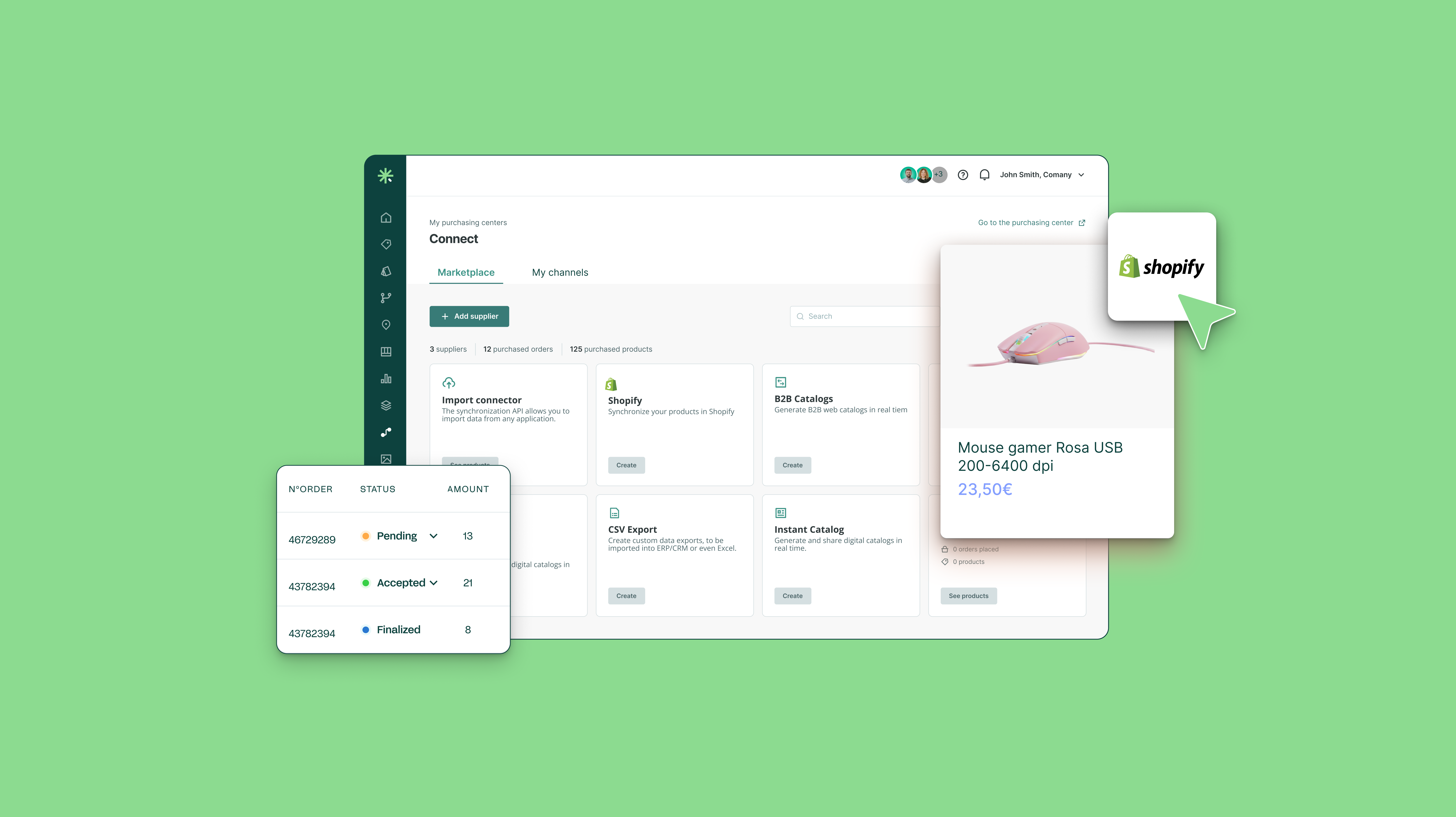
The Marketer's Guide to Choosing a Shopify PIM in 2026
As a marketer, your primary goal is to drive conversions, build brand equity, and deliver useful product experiences. As your Shopify operations grow, managing product information in spreadsheets or directly within Shopify can become harder to control. A Product Information Management (PIM) system provides a structured way to manage that growth.
Choosing the right PIM requires looking beyond basic data storage. Marketers should assess how each platform connects with Shopify, supports their catalog structure, manages localization, controls data quality, and fits the technical resources available to their team.
- How does a PIM complement Shopify?
- What marketers should look for in a Shopify PIM
- Top Shopify PIM Platforms: A Research-Backed Comparison
- Platform Deep Dives
- When do you need a PIM for Shopify?
- Frequently asked questions (FAQ)
How does a PIM complement Shopify?
Shopify manages the commerce experience, from organizing products and inventory to presenting and selling them through the storefront. A PIM complements Shopify upstream by controlling how the product information behind that experience is prepared.
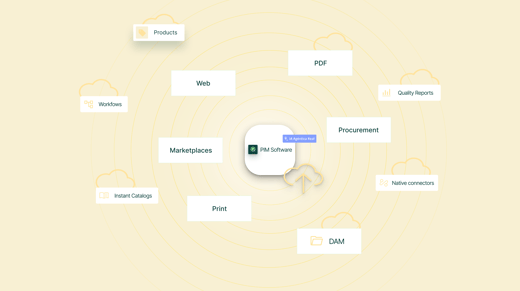
It supports the product content process, from raw data and assets to approved, channel-ready information. Teams can then distribute consistent content across Shopify and other sales destinations, with each platform focused on its core role.
What marketers should look for in a Shopify PIM
When evaluating a PIM for your Shopify ecosystem, keep these marketer-centric priorities top of mind:
-
Native Shopify integration
Check who builds and maintains the Shopify connector. A native, first-party integration is managed directly by the PIM vendor, giving your team one point of contact for implementation, support, and Shopify API updates. This can reduce external development costs and keep catalog synchronization reliable as Shopify evolves.
Third-party connectors are managed by an agency or app partner. They may add another supplier, separate fees, and greater reliance on external support when the integration requires maintenance. - Channel readiness
A Shopify PIM should do more than map fields and transfer data. It should validate whether each product meets Shopify’s requirements before publication, covering variants, metafields, taxonomy, SEO information, images, and any required commercial or compliance data.
Clear validation rules help teams identify missing or incorrect information before it reaches the storefront. This reduces failed updates, incomplete listings, and time spent correcting product pages after publication. -
Multi-language, multi-currency, and multi-store management
International Shopify operations require more than translated descriptions. Look for a PIM that can manage localized titles, content, media, price lists, and currencies for each market, then distribute the right information to Shopify Markets. For Shopify Plus, it should support distinct catalog rules, product subsets, and localized assets across multiple stores without duplicating core product records.
-
AI-Powered Automation and Content Generation
In 2026, AI is no longer a luxury; it is a necessity for scaling content operations. Modern PIMs offer generative AI capabilities to automatically draft SEO-optimized product descriptions, translate content, and map attributes. This drastically reduces time-to-market and frees your team from manual data entry, allowing them to focus on strategy and creative campaigns.
-
User-Friendly Interface and Collaboration Tools
A PIM should empower marketers, not frustrate them. A highly technical, developer-focused UI will hinder adoption. Look for intuitive dashboards, visual workflow management, and collaboration features (like task assignments, approval workflows, and in-line commenting). Your team should be able to easily track content completeness and see exactly what needs to be done to get a product ready for launch.
-
Digital Asset Management (DAM) Capabilities
Visuals sell products. While some organizations use a separate DAM, having robust DAM capabilities built into or tightly integrated with your PIM is highly advantageous. You need to easily link lifestyle imagery, 360-degree videos, and technical diagrams to specific products and variants, ensuring the right assets are automatically pushed to your Shopify store.
-
B2B product structures and buying information
Manufacturers and distributors need a PIM that can structure more than standard ecommerce content. Look for support for technical specifications, units of measure, packaging details, certifications, compatible products, replacement parts, and documents linked to the correct products and variants. This gives Shopify B2B buyers the information they need to compare products, confirm suitability, and purchase the correct item.
-
Speed of Implementation and Time-to-Value
Marketers want results fast. Look for PIMs with rapid onboarding, intuitive interfaces that require minimal training, and pre-built Shopify connector that work out of the box. The faster you can get your team productive, the sooner you'll see ROI.
Top Shopify PIM Platforms: A Research-Backed Comparison
| Feature / PIM Platform | Sales Layer | Akeneo | Plytix | Salsify | Pimcore |
| Target Audience |
SMBs to Enterprise (B2B/B2C) |
Mid-market to Enterprise B2C/B2B |
SMBs, Startups, DTC Brands |
Enterprise, Large Brands |
Enterprise, Complex Data Ecosystems |
| Shopify Integration |
Native App (Shopify Connector) |
Native App (Akeneo App for Shopify) |
Direct Custom App / API |
Robust API & Partner Integrations |
API-driven, requires development |
| Sync Behavior |
One-way outbound sync. Event-based, scheduled, or on-demand updates. |
One-way outbound. Manual or scheduled full and delta syncs. |
One-way outbound. Scheduled or on-demand processing. |
One-way outbound syndication. Publishing cadence depends on channel configuration. |
Configurable API-based integration. Direction and frequency depend on implementation. |
| Onboarding Speed |
6 weeks (fastest in industry) |
8 - 12 weeks |
4 - 6 weeks |
10 - 16 weeks |
16+ weeks |
| AI & Automation |
Industry leading (Agentic AI Suite, MCP Server) |
Strong (AI content generation, mapping) |
Basic (AI bulk editing) |
Industry leading (Intelligence Suite, GenAI) |
Strong, but requires configuration |
| AI Capabilities Detail |
Autonomous AI Agents, +50 language translation, SEO optimization, ChatGPT integration |
Content generation, attribute mapping |
Bulk edit, basic automation |
Omnichannel syndication, digital shelf analytics |
Custom AI workflows |
| Digital Asset Management |
Advanced DAM (Smart Resize, Multilevel Folders) |
Built-in DAM capabilities |
Basic asset linking |
Advanced DAM & Enhanced Content |
Comprehensive, enterprise grade DAM |
| B2B Specific Features |
Yes - B2B Syndication, Price Lists, PO Functionality |
Limited B2B tools |
Limited |
Strong B2B capabilities |
Limited |
| Marketplace Templates |
Yes - Prebuilt for Wayfair, Walmart, AliExpress |
Limited |
Limited |
Strong |
Limited |
| Support Quality |
Highly rated, included in all plans |
Good, varies by tier |
Good |
Excellent |
Varies |

Platform Deep Dives: Marketer's Verdicts
Sales Layer – The Marketer's Champion
The Marketer's Verdict: Sales Layer is purpose-built for marketing teams. It combines ease of use with cutting-edge AI, making it the standout choice for brands that want to move fast without sacrificing sophistication. Its AI Suite represents a generational leap in PIM with true agentic AI capabilities.
Why Sales Layer Wins for Marketers:
Fastest Onboarding: 6 weeks to full productivity the fastest in the industry. Your team can start creating and syndicating content immediately.
Voted "Easiest PIM in the World": G2 users consistently praise Sales Layer's intuitive interface. Non-technical marketers can master it in hours, not weeks, a key reason highlighted across more than 300 verified customer reviews.
Agentic AI Suite: Unlike traditional AI that generates suggestions, Sales Layer's AI Agents autonomously execute complex workflows translating 50+ languages, generating SEO-optimized descriptions, categorizing products, and more with full governance and review controls.
MCP Server Integration: Connect Sales Layer directly to Claude, ChatGPT, and other AI tools. Your product data becomes accessible across your entire AI ecosystem.
B2B Excellence: Built-in B2B syndication, price lists, and purchase order functionality. Pre-built marketplace templates for Wayfair, Walmart, and ChannelAdvisor eliminate manual mapping.
Transparent Pricing: Clear, scalable pricing from SMBs ($9k/year) to enterprise, with no hidden fees. Premium tier includes Shopify, BigCommerce, WooCommerce and API connectors.
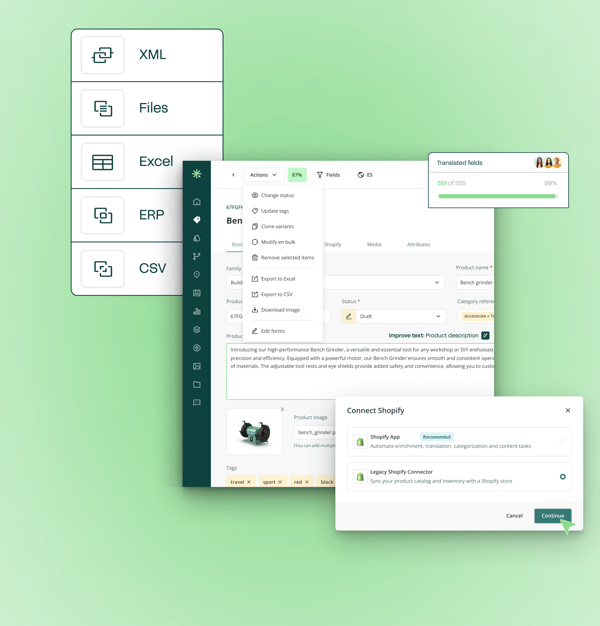
Native Shopify Connector: One-way outbound sync from Sales Layer to Shopify, with validated, approved product data published on demand or through scheduled updates, See how Shopify synchronizations work.
Pros:
- Exceptional ease of use and rapid onboarding.
- Cutting-edge Agentic AI with autonomous workflows.
- Strong B2B and marketplace capabilities.
- Transparent, competitive pricing.
- Highly rated customer support.
- Advanced DAM with smart image optimization.
Cons:
- Smaller company than Akeneo or Salsify (though growing rapidly).
- May lack some ultra-specialized enterprise features for massive global corporations.
Best for: Marketers at growing brands (SMB to mid-market) who need speed, ease, and AI-powered automation. Ideal if you're tired of spreadsheets and want to scale content operations without hiring a dedicated IT team.

Director at Precision Dippings
Akeneo
The Marketer's Verdict: Akeneo strikes a strong balance between robust data governance and marketing usability. Its native Shopify App makes synchronization straightforward . Marketers will appreciate its focus on "Product Experience" and recent investments in AI for content generation. It is ideal if you are scaling globally and need strict workflows to ensure content completeness before publishing.
Pros:
- Excellent data structuring, strong localization features, native Shopify app, large ecosystem of partners.
Cons:
- The open-source version requires heavy IT support; enterprise pricing is a significant jump; slower onboarding than Sales Layer.
Best for: Brands needing structured governance and global scaling.
Plytix
The Marketer's Verdict: Plytix is the darling of small-to-medium DTC brands for a reason. It is incredibly user-friendly and designed specifically for teams that don't have dedicated IT departments. It makes centralizing data and pushing it to Shopify painless.
Pros:
- Highly accessible pricing, intuitive interface, fast implementation, great for SMBs.
Cons:
- Lacks the advanced enterprise workflows, deep AI automation, and complex syndication features needed by massive global brands.
Best for: Smaller teams with basic needs and limited complexity.
Salsify
The Marketer's Verdict: Salsify is a powerhouse "Product Experience Management" (PXM) platform. It is built for marketers who need to dominate the "digital shelf" across Shopify, Amazon, and major retailers. Its AI capabilities (Intelligence Suite) and built-in digital shelf analytics are top-tier.
Pros:
- Exceptional syndication capabilities, advanced AI content tools, built for omnichannel marketing, strong digital shelf analytics.
Cons:
- Premium pricing puts it out of reach for smaller brands; can be overkill if Shopify is your only channel; longer onboarding cycle.
Best for: Enterprises focused on omnichannel syndication and digital shelf analytics.
Pimcore
The Marketer's Verdict: Pimcore is an incredibly powerful, open-source data management behemoth that combines PIM, DAM, and Master Data Management (MDM) . However, it is fundamentally a developer-first platform. Marketers will need significant IT support to configure the workflows and Shopify integrations.
Pros:
- Ultimate flexibility, highly customizable, no licensing fees for the community edition.
Cons:
- Very steep learning curve for non-technical users; requires significant development resources to implement and maintain; longest onboarding.
Best for: Highly technical teams needing a unified PIM/DAM/MDM platform.
When do you need a PIM for Shopify?
The decision usually becomes clearer through the daily work required to maintain the catalog.
Ask these questions:
- Are routine product updates taking longer as the catalog grows?
- Are teams repeating the same changes across stores or channels?
- Is product information distributed across spreadsheets, folders, and business systems?
- Do several teams contribute without a clear view of ownership or progress?
- Are launches delayed by missing content, assets, or approvals?
- Is it difficult to identify which product record is current?
- Does preparing information for other destinations require manual reformatting?
- Does marketing depend on IT for routine catalog changes?
Several “yes” answers indicate that product data management has expanded beyond Shopify’s role as an ecommerce platform. This is especially common for manufacturers managing large variant structures, technical specifications, documentation, regional catalogs, and distributor requirements.
Conclusion
For marketing teams evaluating a PIM, Sales Layer stands out by combining speed, usability, AI-driven product data operations, and a strong foundation for scaling content processes. Fast onboarding, native connectors, data quality controls, and multichannel syndication help teams reduce manual work, launch products faster, and keep product information ready for ecommerce, marketplaces, distributors, and B2B sales channels. Compared to heavier or more technical platforms, Sales Layer offers a modern and practical approach for growing SMB and mid-market brands that want to scale product content operations without depending heavily on IT resources.
Frequently asked questions (FAQ)
1. How long does it take to implement a PIM for Shopify?
Timelines depend on catalog size, data quality, integrations, and the number of stores involved. Sales Layer's PIM implementations take around six weeks on average, including data preparation, mapping, testing, and team onboarding. The Shopify connector itself can usually be configured in less time.
2. How does a PIM work with our existing ERP?
The ERP typically remains responsible for operational data such as inventory, orders, logistics, and base pricing. The PIM receives relevant product records, adds commercial content and digital assets, and publishes approved information to Shopify. Define ownership for every field before implementation to prevent conflicting updates.
3. Can a PIM manage multiple Shopify stores and markets?
A PIM can maintain shared product records and prepare localized content, assortments, assets, languages, and price lists for different Shopify destinations. Confirm whether the connector supports Shopify Markets, separate Shopify Plus stores, or both, since these models require different mappings.
4. Can a PIM manage Shopify metafields and complex variants?
Yes, provided the connector supports the required Shopify structures. A PIM can organize technical specifications, custom attributes, variants, and product relationships, then map approved values to Shopify fields and metafields. Test complex product families before committing to a platform.
.png?width=520&name=3200x1796%20(3).png)
