
What is product information management (PIM)?
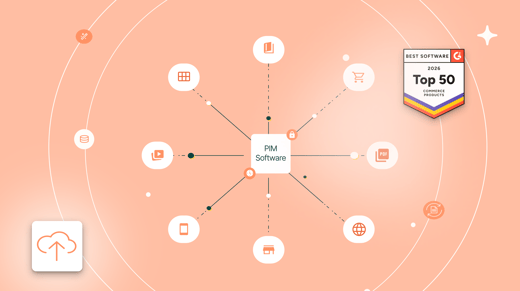
Product Information Management (PIM) is the process of centralizing, enriching, and distributing all product-related content across every channel where your customers buy. This includes technical specifications, images, videos, categorization structures, and marketing assets.
The goal: ensure product data is accurate, complete, and consistent so every buyer experience is clear, persuasive, and up to date.
- How does a PIM system work?
- What product information does a PIM Manage?
- What business benefits can a PIM deliver?
- How does PIM differ from other product data systems?
- How to know if your company needs a PIM
- What to look for when choosing a PIM
- The role of AI Agents in modern product information management
- Frequently asked questions about PIM
How does a PIM system work?
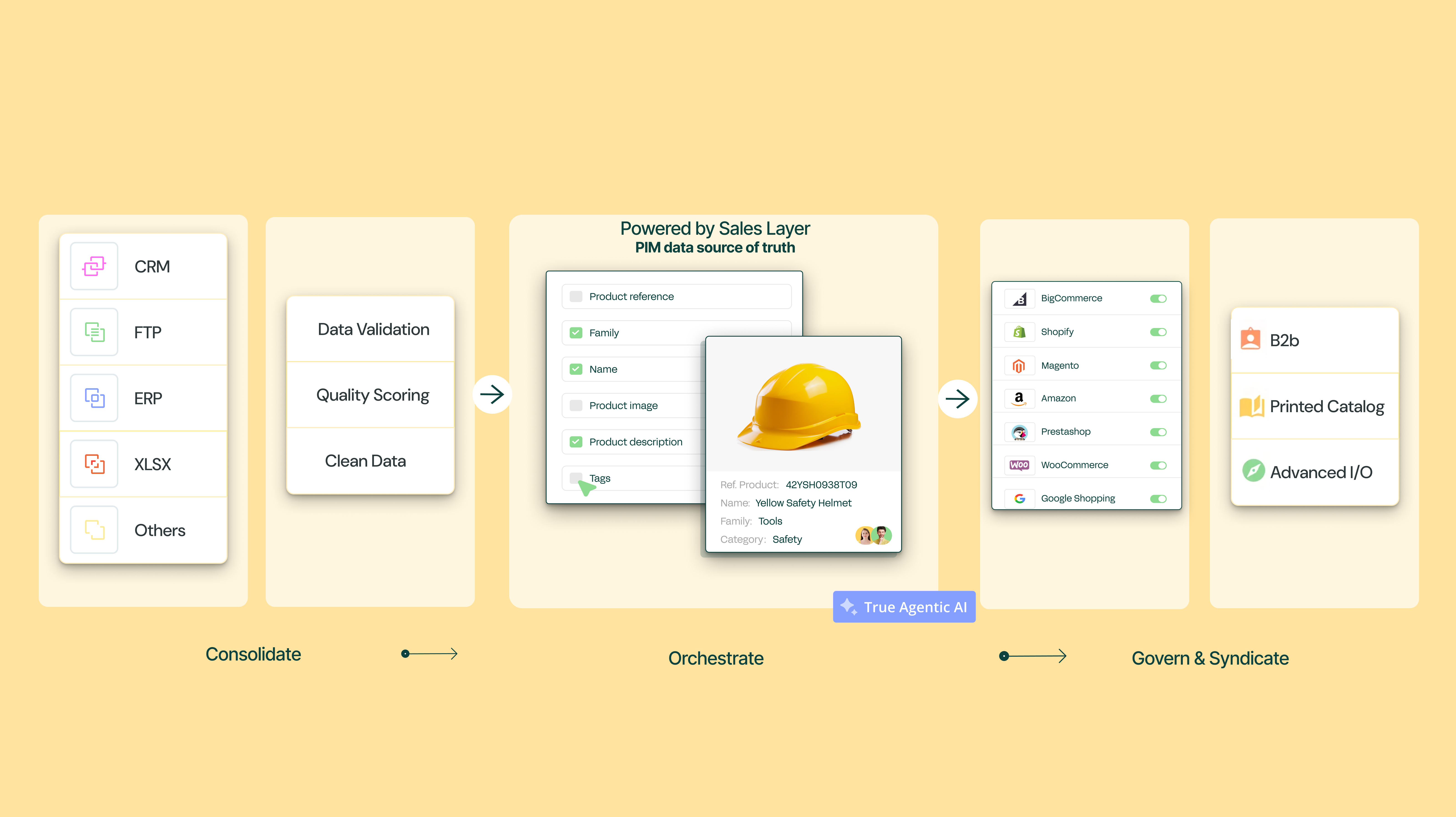
A PIM acts as an operational engine between your internal back-office systems and external selling touchpoints. Instead of managing isolated files, a PIM organizes product management into three core phases:
-
Consolidate: Gather and centralize raw product data, attributes, and digital assets from multiple sources (like ERPs or spreadsheets) into a single source of truth.
-
Enrich: Standardize, translate, and enhance product records with marketing copy, high-res media, SEO descriptions, and automated data quality audits.
-
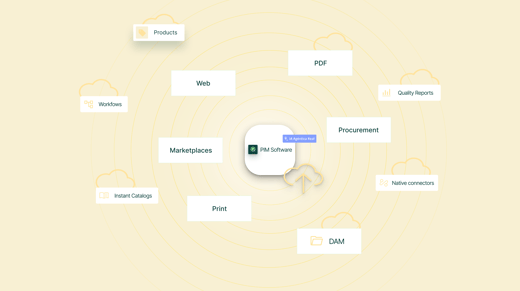
Connect & Syndicate: Export error-free, up-to-date product information automatically to e-commerce sites, marketplaces, B2B portals, and print catalogs.
By bridging internal systems with external channels, a PIM eliminates manual work, accelerates time to market, and delivers consistent product experiences everywhere.
What product information does a PIM manage?
A modern PIM manages far more than product names and SKUs. It brings technical data, marketing content, digital assets and channel requirements into one centralized platform, directly driving operational efficiency and commercial growth:
Product identifiers and technical specifications
Product data managed: SKUs, GTINs, MPNs, dimensions, weights, performance tolerances, and material compositions.
Expected business outcome: More accurate catalogs and fewer preventable returns. Complete specifications help customers choose the right product and reduce errors in orders, quotations and product listings.
Marketing content and digital assets
Product data managed: Product descriptions, high-resolution images, videos, 3D models, CAD drawings, technical datasheets and downloadable manuals.
Expected business outcome: More informative product experiences. Marketing and sales teams can give buyers the content they need to compare products, validate requirements and make purchasing decisions with greater confidence. Extending that content to international buyers means translating it accurately, not just structured attributes but full descriptions, datasheets, and manuals too. Lara Translate can translate this content, so buyers everywhere get the same confidence in the details.
Localized and channel-specific product content
Product data managed: Translations, regional units of measurement, currencies and content formatted for ecommerce platforms, marketplaces, B2B portals and procurement systems.
Expected business outcome: Faster launches across markets and sales channels. Teams can adapt and publish existing product information without rebuilding each catalog from the beginning.
Product relationships and catalog structures
Product data managed: Product families, parent-child variants, bundles, spare parts, accessories, compatible products and cross-sell or upsell relationships.
Expected business outcome: Easier product discovery and higher order value. Buyers can identify compatible components and alternatives, even across large B2B catalogs with complex attribute sets.
Compliance, governance and sustainability data
Product data managed: Safety documentation, certifications, regulatory attributes, environmental information and Digital Product Passport data.
Expected business outcome: Better control over compliance information. Version histories, permissions and structured records make product data easier to review, update and prepare for audits or market-specific requirements.
Structured data for search engines and AI discovery
Product data managed: Detailed attributes, technical specifications and contextual product descriptions.
Expected business outcome: Greater product discoverability across traditional search and AI-assisted buying journeys. Clear, structured information helps search engines, AI tools and digital procurement systems interpret products and match them with relevant queries.
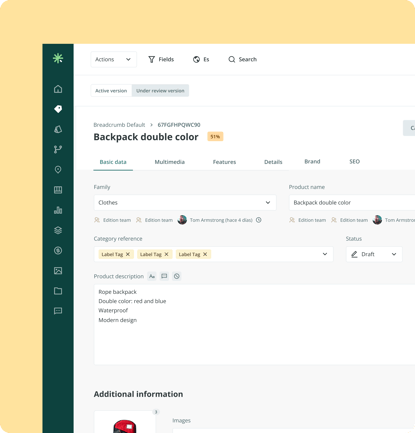
As you can see from the workspace image above, a modern PIM brings together all essential technical specifications, marketing descriptions, media assets, and SEO attributes into a single view. This structured data not only educates potential buyers on product quality, but also establishes clear customer expectations to drive conversions and reduce return rates.
What business benefits can a PIM deliver?
For companies managing complex product catalogs, a PIM provides the structure needed to centralize, enrich and distribute product information efficiently. With Sales Layer, manufacturers, distributors, retailers and other product-driven businesses can reduce manual work, improve productivity and scale their catalog operations across teams, markets and sales channels.
The main business benefits include:
-
Faster time to market: Launch products, collections and catalogs faster by simplifying enrichment, review and distribution workflows.
-
Better product data quality: Identify missing information, inconsistencies and errors through Quality Reports and attribute-level analysis.
-
Less manual work: Reduce repetitive spreadsheet tasks with bulk editing, automated imports and reusable workflows.
-
Consistent multichannel content: Distribute accurate, up-to-date product information across websites, marketplaces, B2B portals, procurement platforms and digital catalogs.
-
Simpler international expansion: Manage translations, regional attributes and multilingual catalogs from one centralized platform.
-
Scalable catalog operations: Manage thousands of SKUs, complex attributes, product variants, digital assets and multiple channels without adding unnecessary operational complexity.

How does PIM differ from other product data systems?
Each system manages a different part of your product data, content or business operations. Comparing their roles helps you identify where a PIM fits within your technology stack and which tools your teams need.
| Platform | Primary purpose | Product data managed | Typical users |
|---|---|---|---|
| PIM (Product Information Management) | Centralizes, enriches and distributes product information across sales and marketing channels. | SKUs, technical attributes, product descriptions, digital assets, translations and channel-specific content. | Marketing, ecommerce, product and content teams. |
| ERP (Enterprise Resource Planning) | Manages financial, operational and supply chain processes across the business. | SKUs, pricing, inventory, orders, purchasing records and supplier information. | Operations, finance, supply chain and logistics teams. |
| PXM (Product Experience Management) | Uses product content to create relevant and consistent buyer experiences across different touchpoints. | Contextual product content, channel-specific assets, localized information and product performance insights. | Digital marketing, ecommerce, merchandising and customer experience teams. |
| Feed Manager | Adapts and exports product data according to the requirements of marketplaces and advertising platforms. | Channel mapping rules, feed specifications, product fields and export formats. | Performance marketing, ecommerce and marketplace teams. |
| MDM (Master Data Management) | Governs shared master data across multiple systems and business areas. | Product, customer, supplier, employee and location records, including reference identifiers. | IT, enterprise architecture and data governance teams. |
| PDM (Product Data Management) | Controls engineering files and technical revisions throughout product development. | CAD models, drawings, schematics, revision histories and file versions. | Engineering, product design and technical drafting teams. |
Recommended reading: PIM vs PXM: What Are the Differences?
How to know if your company needs a PIM
Whether your business is B2B or D2C, you’ve likely come to appreciate the importance of maintaining quality product data and the challenge of achieving this. Missing data, misleading information and error-filled content can be hugely detrimental to your sales. These issues can be the deciding factor in a loss of sale or a product return.
A PIM starts delivering value when catalog, channel or market growth means managing product information requires too much manual work. These five signs indicate that it may be time to bring one in:
1. Information depends on people and spreadsheets
Data is spread across Excel files, folders and the knowledge of specific people. This makes it harder to find the right information and creates dependency on the people who know each process.
2. Supplier data onboarding slows the team down
Recibir fichas incompletas, corregir atributos y adaptar formatos diferentes exige intercambios constantes por email. Como resultado, preparar nuevos productos puede llevar semanas o incluso meses.
3. Your ERP or in-house system can no longer scale
The ERP manages operational information such as prices, inventory or references, but it is not designed to enrich content, manage complex variants or adapt data to each ecommerce platform and marketplace.
4. Publishing catalogs and price lists takes too long
Creating PDF price lists, InDesign catalogs or content for digital channels requires copying, reviewing and updating information manually, increasing lead times and the risk of errors.
5. Opening new markets or channels requires too much manual work
Translating attributes, adapting descriptions, meeting each channel’s requirements or creating personalized B2B catalogs becomes a process that is difficult to repeat and scale.
When these problems start to affect launches, data quality or growth capacity, a PIM allows you to centralize processes and work from a single source of product information.
 "It's priceless to have every department working on the same basis and to be able to see the status and features of a product in real time, from anywhere in the world."
Marketing Shopper at TITAN
What to look for when choosing a PIM
Not every PIM offers the same level of usability, connectivity or control. When comparing solutions, assess how well each platform fits your catalog structure, technology stack and internal processes.
-
Ease of implementation: Review the expected timeline, resources and technical support required to configure and launch the platform.
-
Usability: Check whether marketing, product and ecommerce teams can manage everyday tasks without depending heavily on IT.
-
Catalog flexibility: Assess whether the platform can accommodate your existing product structure and adapt as your catalog becomes more complex.
-
Integration options: Examine the available connectors, APIs and import or export methods for your current systems and sales channels.
-
Workflow configuration: Confirm that roles, permissions and approval processes can reflect how your teams work.
-
Data quality controls: Review how the platform identifies incomplete records, inconsistent values and content that requires attention.
-
Scalability: Consider whether the PIM can support more products, attributes, users, languages and channels as the business grows.
-
Security and reliability: Evaluate certifications, hosting infrastructure, backups, service availability and access controls.
-
Onboarding and support: Compare the implementation guidance, training resources and ongoing support available to your teams.

The role of AI Agents in modern product information management
AI Agents extend PIM beyond structured product data management and predefined automation. They can interpret tasks, apply business rules and complete multistep product data workflows with limited manual intervention. Teams retain control over approvals and strategic decisions, and agents manage repetitive catalog work at scale.
How they work
AI Agents workflows follow a clear operating model:
-
Triggers: An event or schedule determines when the agent starts working, such as a new product record, an updated attribute or a weekly catalog review.
-
Rules: Business logic defines which products require action and how their information should be processed.
-
Actions: The agent completes tasks such as translating attributes, validating fields, assigning product classifications or improving descriptions.
A workflow could translate selected fields, apply business rules and improve channel-specific copy as part of the same process.
AI Agents can generate and standardize product descriptions, detect data quality issues, translate attributes and classify SKUs across large catalogs. This extends the operational capacity of product, marketing and ecommerce teams without requiring them to process every record manually.
Estimate the ROI of a product information management
Time spent maintaining product data, correcting errors, preparing localized content and launching new channels carries an operational cost. Use our PIM ROI Calculator to estimate potential time savings, financial impact and return based on your current product data processes.
Sales Layer helps manufacturers, distributors, retailers and other product-driven companies centralize, enrich and distribute product information across teams, markets and sales channels. The platform supports complex, growing catalogs across multiple brands without adding unnecessary manual work.
Frequently asked questions (FAQ)
1. What challenges can a PIM solve for companies managing complex product catalogs?
Managing product information across spreadsheets, ERP systems, documents, and multiple channels can create errors, delays, and duplicated work. A PIM helps teams organize, enrich, and distribute accurate product content while maintaining control over complex catalogs.
2. What are the key steps in a successful PIM implementation?
A successful PIM implementation starts with defining data structures, identifying connected systems, preparing product information, and establishing workflows. Teams can then configure integrations, migrate data, test processes, and gradually expand usage across channels.
3. How long does it take to implement a PIM system?
Implementation time depends on factors such as catalog complexity, data quality, integrations, and internal processes. A PIM can reduce setup times by providing ready-to-use features, connectors, and guided onboarding compared with building a solution from scratch.
4. How does PIM support regulatory compliance and digital product passport readiness?
A PIM helps companies structure and maintain product information, including technical specifications, documentation, and required attributes. This creates a more organized foundation for managing evolving regulations and preparing product data for initiatives such as Digital Product Passports.
5. Do we need IT resources to implement and manage a PIM?
Not necessarily. Modern PIM platforms are designed so marketing, ecommerce, and product teams can manage daily product information tasks independently. IT teams can support integrations and governance, while business users manage enrichment, workflows, and content updates.

.png?width=520&name=3200x1796%20(3).png)